Shopify application development: concept and key considerations
Shopify is a leading eCommerce platform that presents vast opportunities for developers through app development. From enhancing customer experiences to optimizing business processes, Shopify apps have become an essential part of this ecosystem. In this article, we will explore the basic concepts of Shopify application development and important considerations to keep in mind during the development process.

1. Basic concepts of Shopify application development
Shopify application development is the process of creating software that integrates with this platform to extend its functionalities and meet the diverse needs of merchants. These apps can assist with various tasks, such as order management, data analytics, and personalized shopping experiences.
There are two main types of Shopify apps:
Public apps are distributed on the Shopify App Store, serving a wide range of users and requiring a rigorous approval process. On the other hand, custom apps are designed specifically for a single store, integrating directly through APIs without needing public distribution.
Custom apps offer several advantages, including improved operational efficiency, workflow automation, and added value for merchants. For example, an app can help manage inventory more effectively or send push notifications to increase conversion rates.
2. Shopify application development process
2.1. Research and idea validation
Before starting development, it is crucial to understand the needs of Shopify merchants. What challenges are they facing? What gaps exist in the current apps on the Shopify App Store? A thorough market analysis will help identify unique ideas and prevent wasted effort on oversaturated solutions. Examining existing Shopify apps will also provide insights into market gaps and potential opportunities.
2.2. Setting up the development environment
Shopify provides powerful tools to support developers throughout the process. Shopify CLI (Command Line Interface) allows developers to create and manage apps quickly, while the sandbox environment facilitates testing before deployment. Additionally, Shopify API (REST or GraphQL) enables seamless data integration, including order, product and customer information, offering flexibility in development.
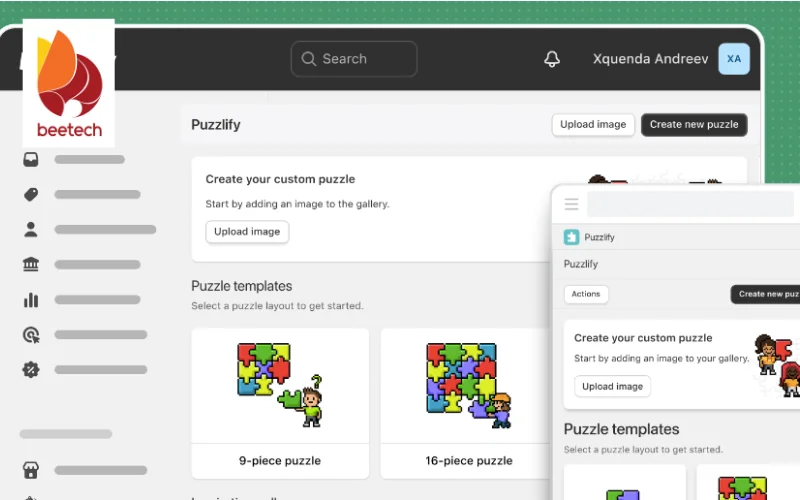
Alongside these tools, Polaris—the Shopify design system—plays a crucial role in building a consistent and user-friendly interface. By applying Polaris, apps not only meet design standards but also provide a smooth, cohesive user experience that aligns with Shopify’s ecosystem, ultimately enhancing customer satisfaction.
2.3. Design and development
At this stage, ideas are transformed into functional products. User experience (UX) should remain a priority, ensuring that the app is easy to use and integrates seamlessly with Shopify. Commonly used programming languages for Shopify app development include Ruby, Python, and Node.js, depending on the app’s purpose.
2.4. Testing and deployment
Before submitting an app to the Shopify App Store (for public apps), thorough testing is essential to eliminate errors. Shopify’s review team evaluates apps based on performance, security, and overall value. For custom apps, deployment is more straightforward, as they can be directly installed for specific clients.
Real-world testing should cover various scenarios, such as order processing, payment transactions, and network disruptions, to ensure stability. Public apps must go through Shopify’s approval process, which typically takes five to ten days, whereas custom apps can be installed directly via the Shopify Admin panel.
2.5. Maintenance and continuous improvement
After launching an app, gathering user feedback and regularly updating features is crucial for staying competitive. An app that is not well-maintained will quickly become obsolete. Developers should monitor performance through the Shopify Partner Dashboard and update the app whenever Shopify releases new API versions, usually every three to six months.
Collecting feedback through emails or surveys allows developers to refine features. For instance, if users request multi-language support for international expansion, implementing this feature would add significant value.
3. Key considerations for Shopify application development
3.1. Optimizing performance and speed
A slow or resource-intensive app can negatively impact a Shopify store’s loading speed, leading to poor user experience and lower search rankings. Developers should optimize code, minimize resource consumption, and test performance across multiple devices. Slow-loading apps can deter users, affecting both SEO and conversion rates. Using techniques like code minification and reducing unnecessary API calls will help maintain efficiency.
>>> Read more:
- What Does Building a Shopify Website Include?
- What Are Progressive Web Apps? Popular Examples
3.2. Compliance with Shopify standards
Shopify enforces strict security and user experience guidelines, including OAuth authentication and data privacy requirements. Failing to meet these standards can result in app rejection. Developers should review Shopify’s official documentation carefully before starting development, such as:
Security measures such as OAuth 2.0 and data encryption must be implemented to protect user information.
Adhering to Shopify’s content policies is essential; for instance, apps should not collect irrelevant data (by Shopify Partner Blog).
Ensuring that the app functions seamlessly across desktop and mobile devices is also critical.
3.3. Solving practical problems
A successful app addresses real business needs, such as inventory management or conversion rate optimization. It is more effective to develop an app that sends stock alerts rather than an overly complex analytics tool with unnecessary features.

3.4. Customer support and documentation
Providing clear installation guides and effective customer support enhances user satisfaction. Even the best apps can struggle to retain users if they lack timely support. To minimize confusion, developers should offer setup instructions in easy-to-understand formats such as video tutorials or PDF guides. Additionally, establishing support channels like email or live chat with a response time of under 24 hours, as recommended by Shopify, helps improve user experience and trust.
3.5. Revenue strategy
Developers must determine how their app will generate revenue—whether through a freemium model, one-time purchase, or subscription-based pricing. Pricing should reflect the app’s value without appearing overpriced. For example, an automation tool that saves merchants ten hours per week could reasonably be priced at $10 to $20 per month.
3.6. Preparing for competition
With thousands of apps on the Shopify App Store, standing out requires unique features or superior service. Keeping an eye on competitors and industry trends is essential. If a competitor integrates AI into their app, it may be beneficial to explore similar enhancements to stay competitive.
4. Examples of successful Shopify apps
4.1. Printful
Printful is a print-on-demand app that enables merchants to create and sell products like t-shirts, mugs, and posters without managing inventory. Its success stems from seamless Shopify integration, automation from order to delivery, and addressing a real need for small business owners.
4.2. Smile: Rewards & Loyalty
Smile helps Shopify stores build customer loyalty programs by rewarding shoppers with points for purchases. Its success is driven by a user-friendly interface (built with Polaris) and a clear value proposition, boosting customer retention. Today, it is used by tens of thousands of stores.
4.3. Oberlo (before Shopify acquisition)
Before being acquired by Shopify, Oberlo was a leading dropshipping app that allowed merchants to import products from AliExpress and sell them directly on Shopify. Its simple, automated system made it a top choice for new entrepreneurs. These examples illustrate that success in Shopify app development comes from understanding user needs and adhering to best practices.
Conclusion
Shopify application development is a promising but competitive field. By mastering the core concepts, following the right development process, and considering key factors such as performance optimization, security, and monetization strategies, developers can create outstanding apps like Printful and Smile. The journey begins with market research, idea validation, and leveraging Shopify’s tools to turn a vision into reality.